


What Is a Landing Page? The Metrik Approach to Website & CMS Pages
.webp)
What exactly is a landing page? In the traditional marketing sense, it is a focused page built around a campaign, an offer and a desired action. But when I design Webflow templates at Metrik Studio, I apply the same principle beyond campaign pages. I treat the important pages throughout a website (including CMS service, solution and project details) as independent entry points that deserve their own complete story.
Last updated: October 2026.
See the approach in practice: Further down, I share five live examples from Halston, Harroway, Verneto, Sonet and Bauwerk. Each one is a dedicated service, specialty or project page inside a complete website.
That does not mean every page has to look like a high-pressure sales funnel. It means that every meaningful destination should help someone who arrives there directly understand what they are looking at, why it matters and where to go next. If you would rather start with real examples, see my 17+ Best Webflow Landing Page Templates roundup.
What is a landing page?
A landing page is a web page that a visitor arrives on from a search result, advertisement, email, social post or another link. In digital marketing, the term more specifically refers to a dedicated, often standalone page designed around one campaign or conversion goal, such as registering for a webinar, requesting a consultation or purchasing a product.
Both meanings are useful, but they are not identical. A focused campaign landing page usually removes unnecessary choices so the offer stays central. A service page within a multi-page website may offer navigation to related services, case studies and contact information while still working as the visitor's first meaningful point of contact.
A landing page is not necessarily your homepage
The homepage is the front door in your navigation, but it is not the only door people use. Someone searching for a particular treatment may arrive directly on a treatment detail. A client who sees a project shared on LinkedIn may start on that project's CMS page. A prospect looking for a specific business solution can enter through a service page. They might never visit Home.
If that internal page contains only a headline, a picture and two sentences, it assumes the visitor already understands the business. In reality, it may be the first page they have ever seen. That is the problem I try to solve when building Metrik templates.
How I structure Metrik Webflow templates
Most of my templates follow a connected, multi-page system rather than a collection of disconnected page designs. The structure varies by industry, but the underlying idea is consistent:
- Homepage: the overview and navigation hub, introducing the business and guiding visitors towards its main offers and content.
- Listing pages: Services, Solutions, Projects, Works, Treatments, Rooms or similar collections that help visitors browse and compare.
- Detail pages: the individual CMS-driven pages for each service, solution, project or other item, developed as substantial destinations with their own hierarchy and next step.
- Supporting pages: About, Team, Insights, Testimonials, FAQs and Contact. These pages provide context and credibility across the journey.
The listings organise choices. The detail pages do the deeper explaining.
A visitor can move from a general overview into a specific offer, or arrive directly at the offer and move outwards to related content. Neither journey should feel incomplete.
Why I design CMS detail pages as landing pages
Webflow CMS is a powerful way to manage repeatable content, but using a CMS does not automatically produce useful pages. A collection item can be little more than a heading, an image and a text field. Technically it is a working page. From the visitor's perspective, however, it can be a dead end.
My approach is to design the CMS template page as carefully as a static page. I think about the content structure, visual hierarchy, reusable sections and how the visitor moves towards a relevant action. The CMS fields support that design, rather than forcing the design to be a generic repetition of the same three elements.
Importantly, a shared CMS template does not mean every published item should have identical copy or show irrelevant sections. The underlying layout may be reusable, but each service or project still needs its own specific information, imagery, proof and CTA. Where it makes sense, optional CMS fields and conditional visibility can keep the page focused.
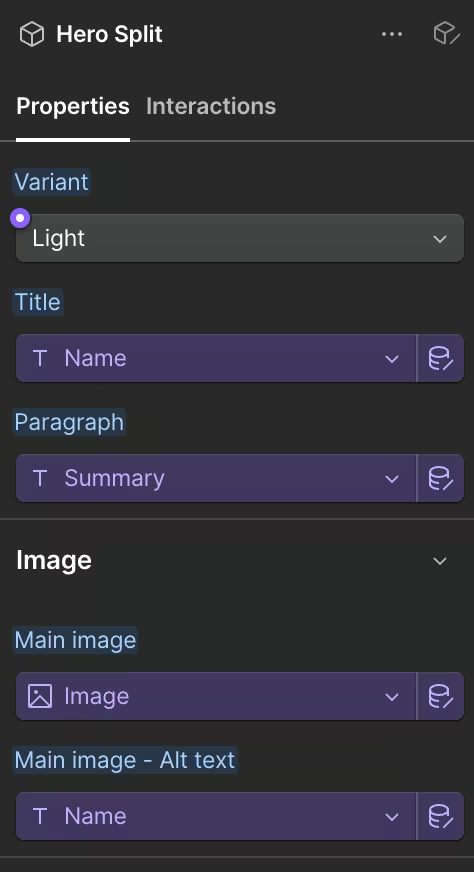
Example: a complete CMS service landing page
Imagine a consulting company offers several services. Its Services listing gives visitors a useful overview. A person searching for one particular service might open the individual service detail from that listing or arrive there directly. Here is the kind of page architecture I design for that destination:
- Hero: a service-specific headline, short value proposition, relevant image and primary CTA.
- About the service: a clear explanation of what the service does, who it is for and which problem it solves.
- Benefits and details: useful specifics, outcomes, scope or process steps that help people evaluate the offer.
- Proof and references: relevant case studies, project examples, testimonials or client evidence, when available.
- Process or frequently asked questions: answers to objections and practical questions before someone makes contact.
- CTA section: a clear invitation to enquire, book a consultation or discuss the service.
- Related services: links to other relevant offerings for visitors whose needs are slightly different.
This is not a rigid checklist for every business. A simple offer may need fewer sections; a complex or high-consideration service may need more. The point is that the page is designed as a coherent piece of communication, not as a database record with a URL.
Five Real Landing Page Examples from Metrik Templates
These are five actual pages from my Webflow templates, not just homepage previews. Open each live example to see how a service, specialty or project detail can become a substantial entry point within a larger website. The images below give a visual introduction to each template; the links lead to the exact pages.
1. Service detail landing page for architecture website (Halston template)
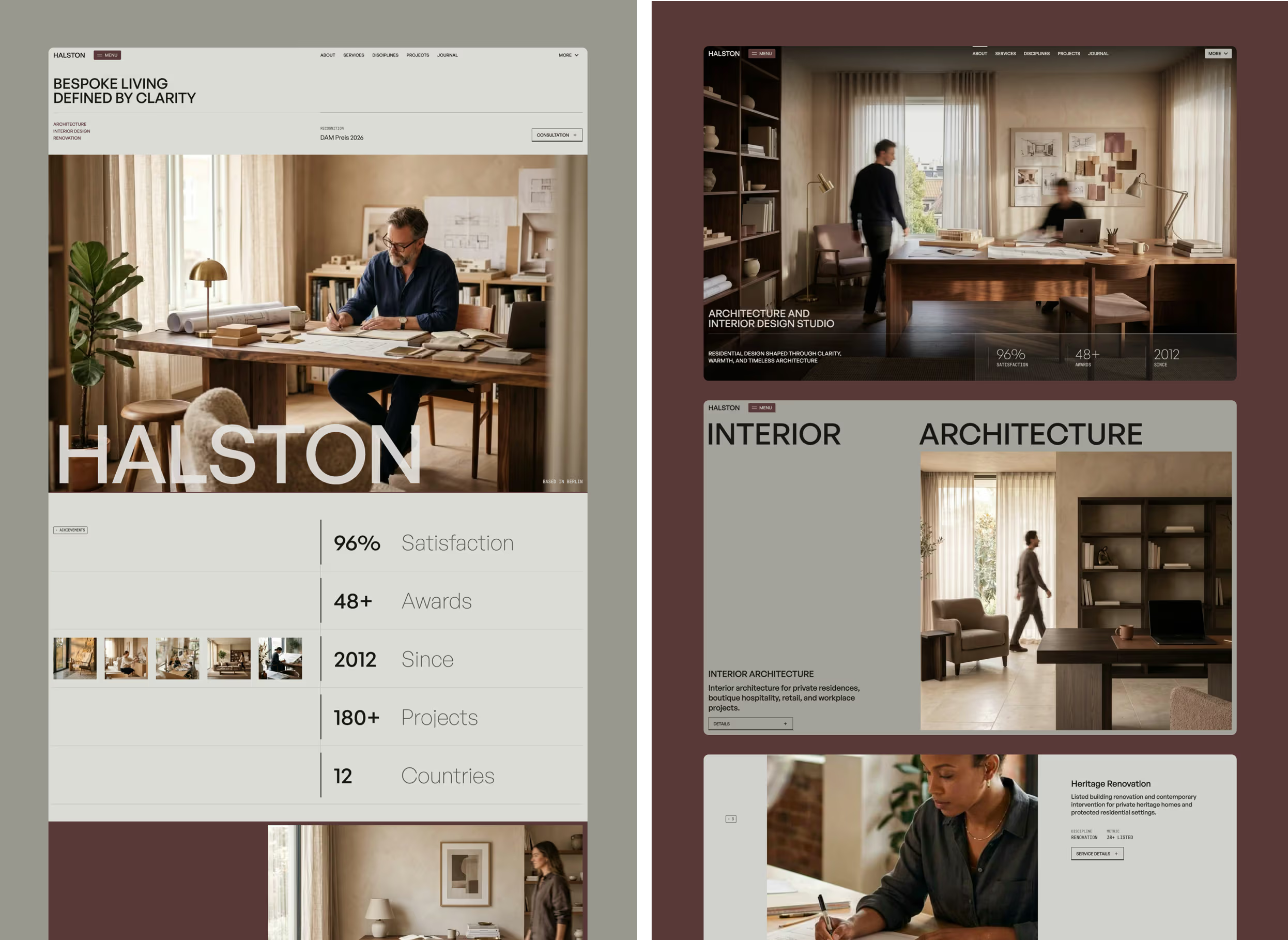
A focused architecture service page. It is a useful example of giving a specific offer its own destination rather than treating it as a short item on the Services listing.
What to notice: Look at how a service can be introduced independently while still belonging to a wider studio website.
Explore the live service page: Residential Architecture · View Halston template details
2. Service detail landing page for real estate website (Harroway template)
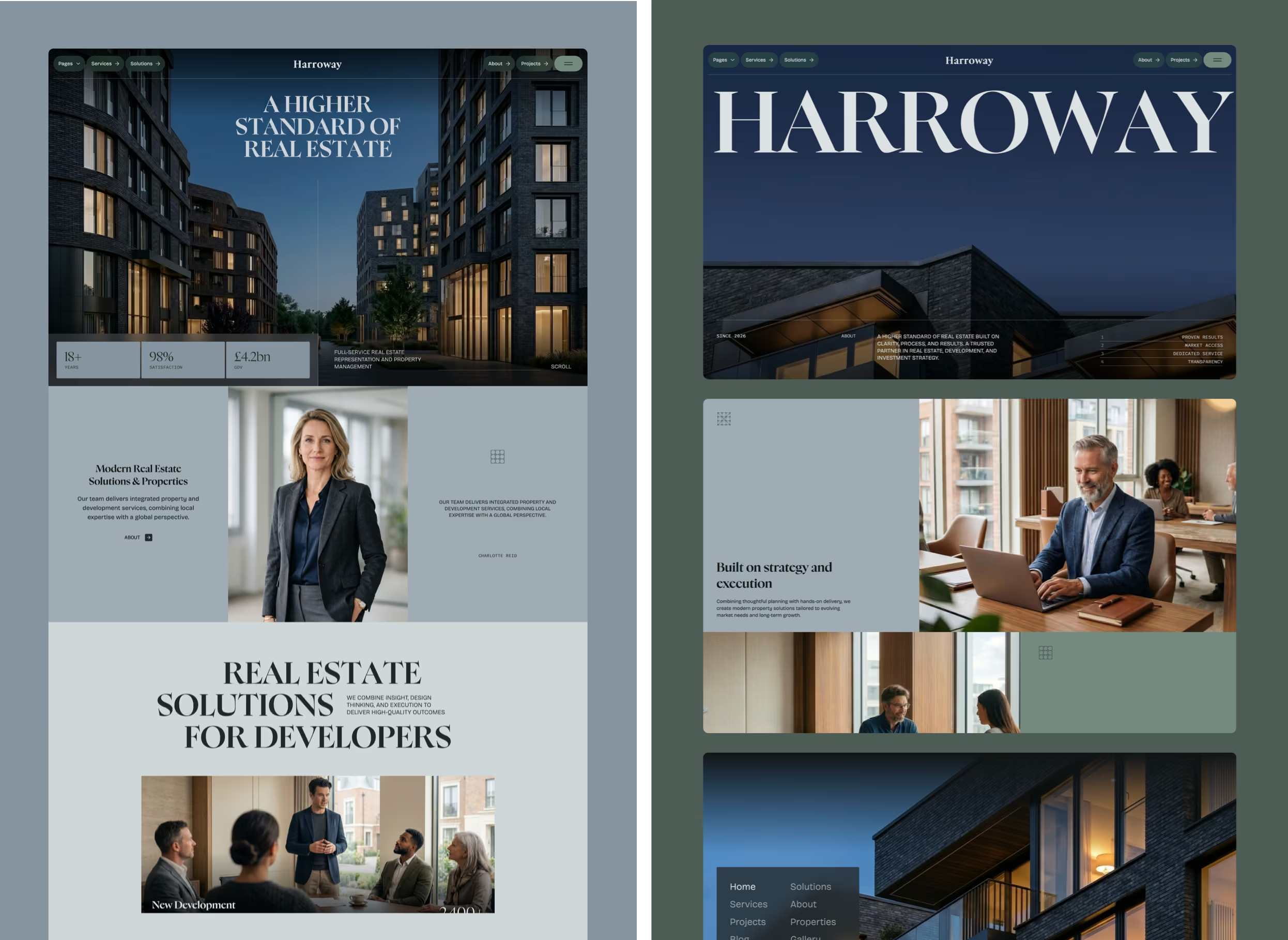
Harroway's New Development Sales page focuses on residential developers and housebuilders. It explains off-plan sales support, from launch strategy and buyer management through to legal completion, rather than offering only a broad overview of the real estate firm.
What to notice: Notice how the page speaks directly to developers, outlines the stages of the service and offers a clear consultation route.
Explore the live service page: New Development Sales · View Harroway template details
3. Specialty detail landing page for beauty salon website (Verneto template)
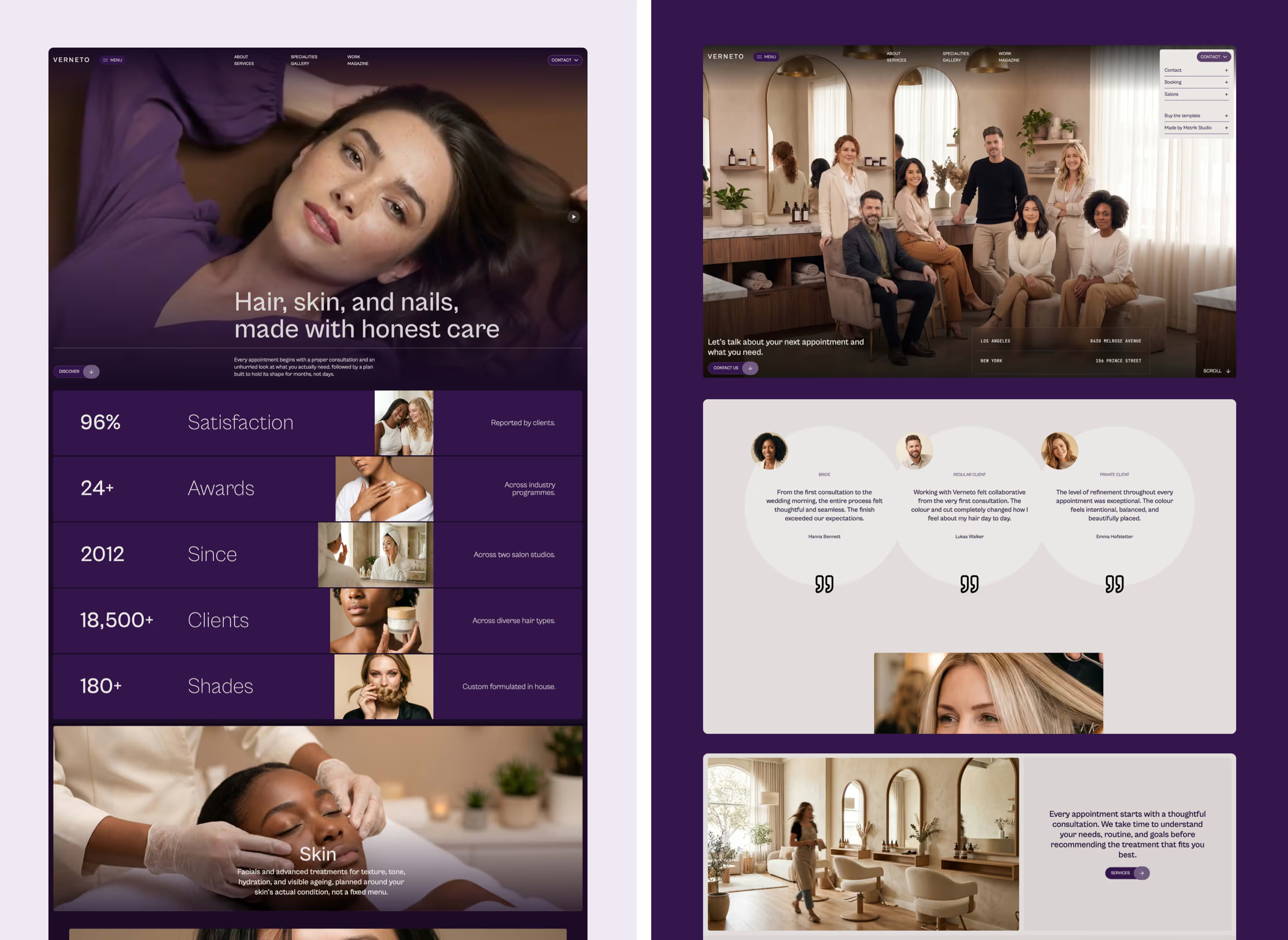
A beauty specialty detail for visitors interested in hair services. It demonstrates why individual specialties deserve a dedicated page instead of appearing only as labels in a salon overview.
What to notice: Specialty pages give beauty businesses room to explain a particular area of expertise and guide visitors towards the right service.
Explore the live specialty page: Hair Specialty · View Verneto template details
4. Service detail landing page for consulting website (Sonet template)
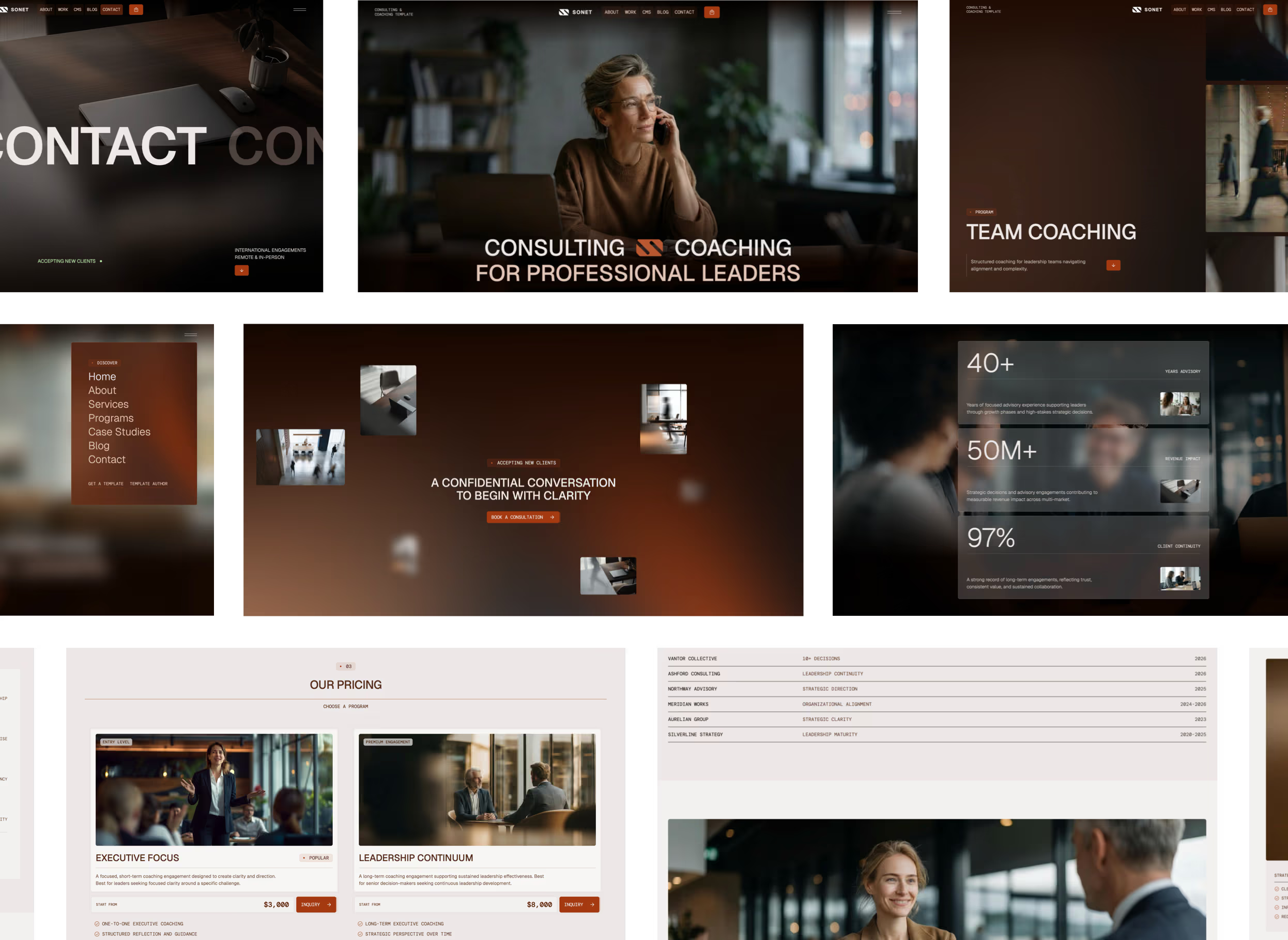
A complete consulting service landing destination with a focused introduction, detailed service information, a consultation CTA and links to additional services.
What to notice: This is the clearest example of the structure described above: the visitor can understand the offer and enquire without visiting the homepage first.
Explore the live service page: Executive Consulting · View Sonet template details
5. Project detail landing page for construction website (Bauwerk template)
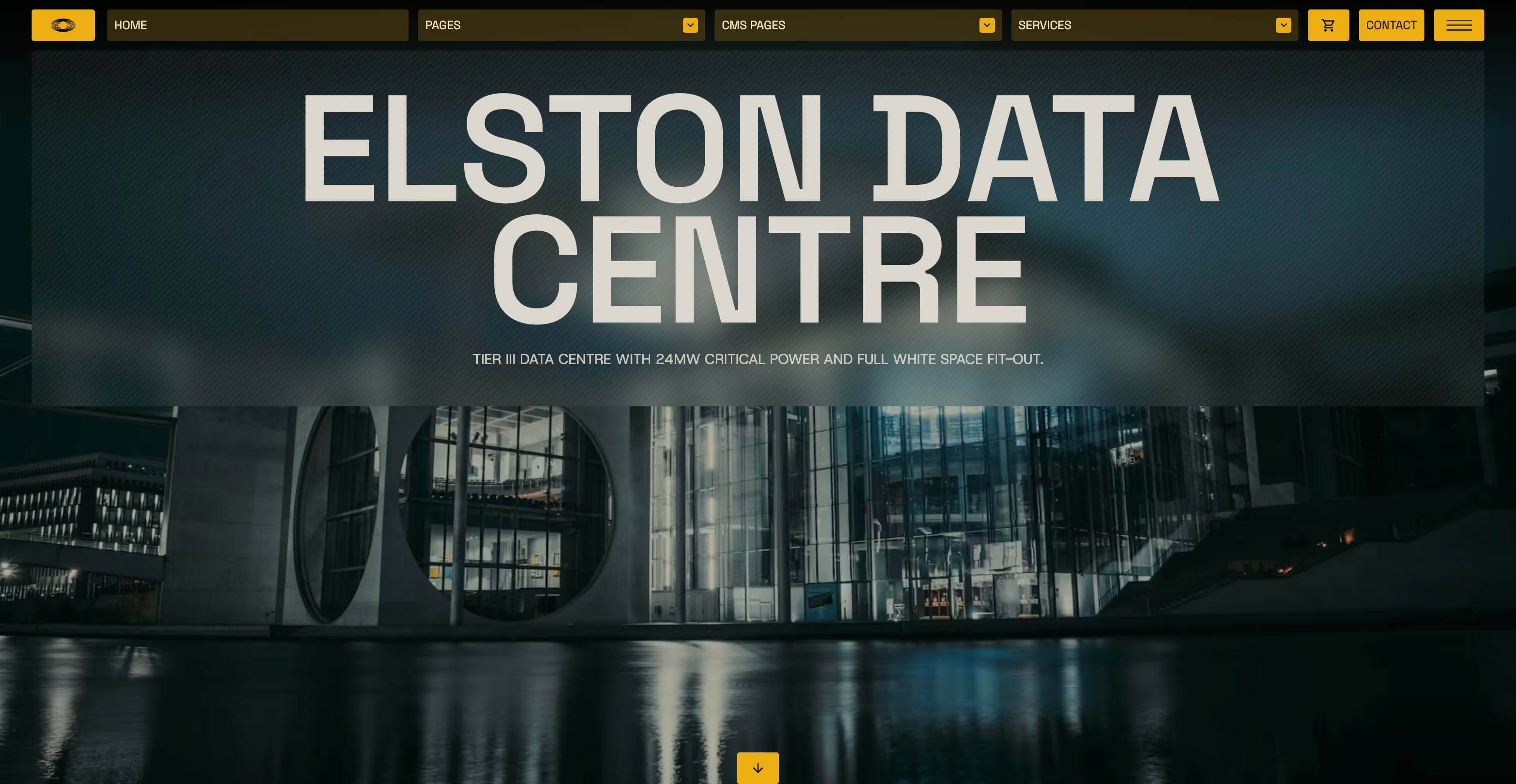
A detailed construction project page that presents the project's scope, technical specifications, supporting content and evidence of delivery.
What to notice: A CMS project detail can work as a landing page too. Instead of showing only a gallery, it demonstrates expertise through a specific piece of work.
Explore the live project page: Elston Data Centre · View Bauwerk template details
Different page types need different landing page stories
Services and solutions
These are usually offer-focused pages. They need a clear promise, an explanation of fit, useful supporting detail, credibility and an obvious way to proceed. For example, Sonet supports services, programmes and case studies, while Fragment offers multiple marketing, services and feature layouts.
Projects and works
A portfolio detail page should do more than present a row of images. Where the material exists, it can explain the challenge, goals, creative decisions, implementation and outcome. It should also make it easy to explore related work or enquire about a similar project. Halston, which received an Awwwards Honorable Mention, and Majestika demonstrate the value of giving projects their own designed destinations.
Treatments and healthcare services
People looking for a specific treatment often want to know what it involves, who may benefit, how the visit works and how to make an appointment. A dedicated treatment page is a more helpful first stop than a generic clinic overview. Caliora and Medipark provide content structures for these journeys.
Rooms, stays and experiences
A hotel guest evaluating a specific room or package needs photographs, features, practical details and a clear booking or enquiry path. The page should establish the experience even if the visitor never sees the main hotel homepage. Veloura and Rosello are examples of hospitality-oriented systems.
Why the homepage still matters
I am not arguing that the homepage is unimportant. It is valuable for introducing the whole business, bringing the brand together and helping people choose the right path. I simply do not want it to carry every message on its own. When the homepage acts as a useful hub, the internal pages can focus on the specific questions their visitors actually have.
How this approach helps SEO and conversion
Well-developed service, solution and project pages give each topic a specific URL and space for genuinely useful information. Clear headings, meaningful internal links and descriptive copy can help search engines understand the content and help visitors find relevant answers. It is not a promise of better rankings: unique, accurate and helpful content still matters.
The same structure can support conversion. A visitor who arrives on a specific page can see a message that matches their intent, relevant evidence and a practical next step. Whether they convert will still depend on the offer, audience, copy, usability and testing. A thoughtful template makes the journey possible; it does not guarantee the result.
How I build these systems in Webflow
I start by considering the page types the business actually needs, not just a collection of impressive home layouts. I plan the CMS collections and relationships, establish consistent design patterns, and build sufficiently rich layouts for the detail pages. Components, reusable sections, variables and native interactions can then help keep the experience consistent without making every page feel identical.
For CMS-driven details, I think about fields for the content the visitor should see, such as a specific introduction, images, benefit sections, related work and actionable links. Where content differs by item, I want the structure to accommodate it. A useful CMS system should make it practical to create dozens of meaningful pages, not dozens of mostly empty ones.
This is also why a template with 20 or 30 pages can be more valuable than a single attractive landing page: it can provide a coherent foundation for multiple customer journeys. The number of pages alone, though, is not the goal. The quality and relevance of each page matter much more.
Frequently asked questions
Is every page on a website a landing page?
Technically, any indexed or shared URL can be someone's entry page. In marketing terminology, though, a landing page usually means a deliberately focused conversion page. I use landing-page thinking for the important internal pages that people may encounter first, without claiming that utility or legal pages are campaign funnels.
What is the difference between a homepage and a landing page?
A homepage introduces the broader website and often routes people to different destinations. A campaign landing page usually centres on one offer and action. A service detail page sits between these approaches: it belongs to a larger site, but should clearly address one specific topic and provide a relevant next step.
Can one Webflow CMS template create multiple landing pages?
Yes. A Webflow CMS collection can generate multiple detail pages from one designed template. The goal is to populate each with meaningful, distinct content and adapt relevant sections where needed. Reusing layout structure does not mean copying the same generic content onto every page.
Do landing pages need to hide the site navigation?
Not always. Focused paid-campaign pages may reduce navigation to minimise distraction. A service, project or product landing destination inside a full website can benefit from clear navigation and links to related information. Choose based on the visitor's task and the page's purpose.
Explore Metrik landing page templates
My guiding principle is straightforward: a useful website should work no matter which important page the visitor sees first. The homepage should guide, the listings should organise, and the detail pages should explain and convert appropriately. That is how I approach landing pages inside Metrik Studio templates.
For specific designs, prices and live previews, browse 17+ Best Webflow Landing Page Templates. The guide compares 17 selected templates across six categories, including beauty and personal care, so you can see how this philosophy translates into different industries.


